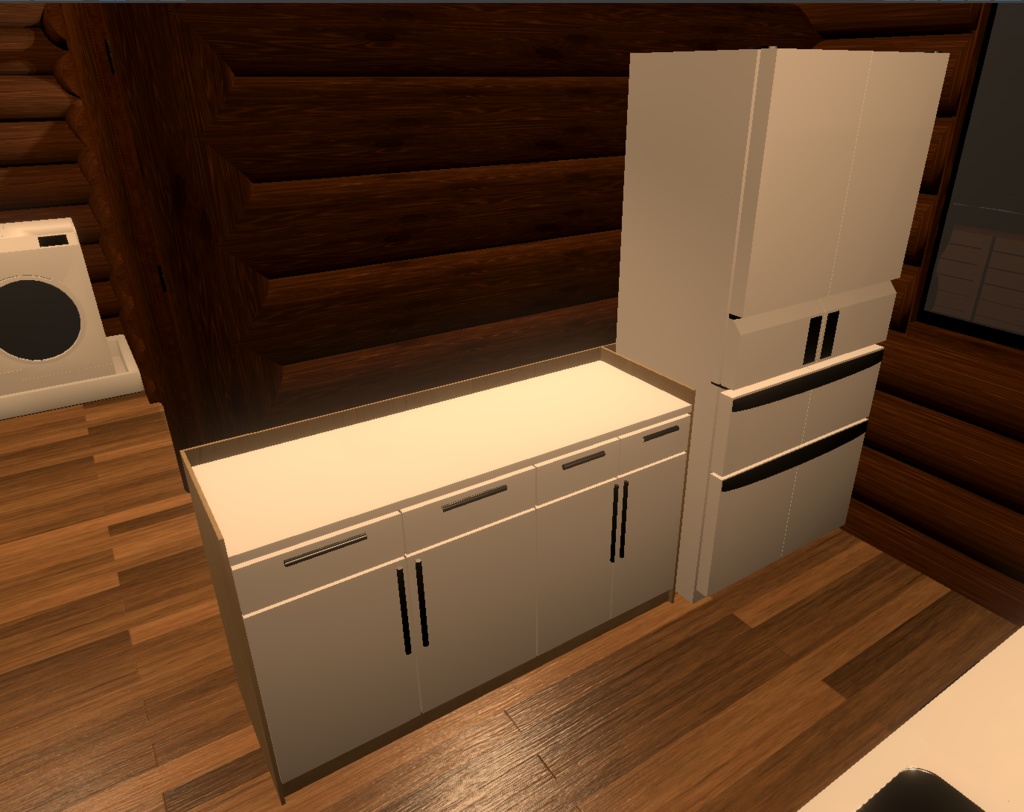
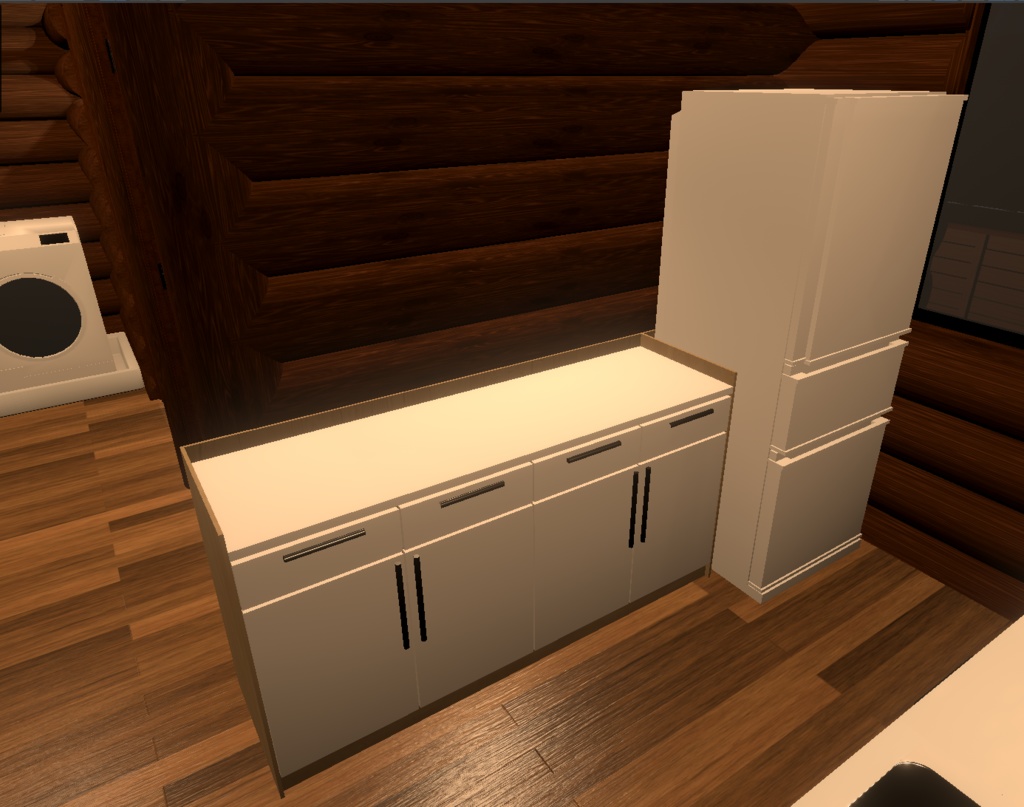
【無料・Unity・VRChat】家具 キッチン_簡易取り付けキット2
- ダウンロード商品¥ 0無料ダウンロード_キッチン_簡易取り付けキット2_.zip(13.5 MB)_キッチン_簡易取り付けキット2_.zip
===== はじめに ===== この 「キッチン_簡易取り付けキット2」 は、「Imaginary Caravan by Coquelicotz」様がBoothで無料配布されている 「VRChat向け家具セット(3)」 に含まれるキッチン家具を、簡単に設置できるようにするために自作したものです。 また、冷蔵庫のモデルについては「オリブレイン」様がBoothで無料配布されている「【イラスト・漫画】冷蔵庫 3D素材」 にも対応しています。 📌 URL: VRChat向け家具セット(3) https://booth.pm/ja/items/1680527 【イラスト・漫画】冷蔵庫 3D素材 https://booth.pm/ja/items/5077935 ===== 使用方法 ===== <<< 組み立て >>> (1) の子要素に (2) または (3) の家具を配置してください。 「1」 ✅ 「[inst. Pos. 1] > [Inst. Pos.] CookingTable (Left)」 → (2)「CookingTable」 ✅ 「[inst. Pos. 1] > [Inst. Pos.] CookingTable (Center)」 → (2)「CookingTable」 ✅ 「[inst. Pos. 1] > [Inst. Pos.] Freezer」 → (2)「Freezer」 「2」 ✅ 「[inst. Pos. 2] > [Inst. Pos.] CookingTable (Left)」 → (2)「CookingTable」 ✅ 「[inst. Pos. 2] > [Inst. Pos.] CookingTable (Center)」 → (2)「CookingTable」 ✅ 「[inst. Pos. 1] > [Inst. Pos.] Freezer」 → (3)「refrigerator_1」 配置後の調整 各家具を配置した後、必ず「Inspector」タブで「Transform」をリセットしてください。 ✅ Transform設定 ➡ 位置(Position): 0, 0, 0 ➡ 回転(Rotation): 0, 0, 0 ➡ スケール(Scale): 1, 1, 1 これにより、正しい位置とサイズで家具が設置されます。 ※(3)「refrigerator_1」については、➡ スケール(Scale): 100, 100, 100 <<< 追記 >>> 階層内の「[Frame] Panel (Top) (3 Types)」に以下のオブジェクトが含まれています。 🔹 「[Frame] Panel (Top.Type1)」 🔹 「[Frame] Panel (Top.Type2)」 🔹 「[Frame] Panel (Top.Type3)」 ➡ これらはライトベイク時に綺麗に反映されない場合に、上から被せるための補助パネルです。 ➡ 適宜、必要に応じて使用してください。 また、以下のオブジェクトも存在します。 🔹 「CookingTable (revised_UnityObject)」 ➡ これらは (2) の「CookingStove」「CookingTable」の一部をUnityの3Dオブジェクトで構成したものですが、完全なキッチン要素ではありません。 ➡ 用途に応じて適宜ご利用ください。 📌 (1): 「キッチン_簡易取り付けキット2」の 「[inst.assy.] Kitchen」 プレハブ 📌 (2): 「Imaginary Caravan by Coquelicotz」様の 「Kitchen」 プレハブ 📌 (3): 「オリブレイン」様の 「refrigerator_1」 fbx ⚠️ 注意 簡易設置に対応しているのは 「Kitchen」プレハブの「Freezer・CookingTable」です。 ===== 階層構造 ===== [inst.assy.] Kitchen ├ [Frame] Panel (Rear) ├ [Frame] Panel (Side.Left) ├ [Frame] Panel (Side.Right) │ │ ├ [inst. Pos. 1] │ ├ [Inst. Pos.] CookingTable (Left) │ │ └ CookingTable (reviced_UnityObject) │ ├ [Inst. Pos.] CookingTable (Center) │ │ └ CookingTable (reviced_UnityObject) │ ├ [Inst. Pos.] Freezer │ │ │ ├ [Frame] Panel (Top) (3 Types) │ ├ [Frame] Panel (Side.Center) │ └ [Frame] Panel (Front.Bottom) │ ├ [inst. Pos. 2] │ ├ [Inst. Pos.] CookingTable (Left) │ │ └ CookingTable (reviced_UnityObject) │ ├ [Inst. Pos.] CookingTable (Center) │ │ └ CookingTable (reviced_UnityObject) │ ├ [Inst. Pos.] Freezer │ │ │ ├ [Frame] Panel (Top) (3 Types) │ ├ [Frame] Panel (Side.Center) │ └ [Frame] Panel (Front.Bottom)
===== 利用規約 =====
本データは CC0(クリエイティブ・コモンズ ゼロ) に基づき提供されます。 個人・商用を問わず、クレジット表記や許可なく自由に使用・改変・再配布が可能です。 本製品の使用によって生じたデータの破損、損害、またはその他の問題について、一切の責任を負いかねます。あらかじめご了承ください。
===== 更新履歴 =====
2025/03/23 : フォルダ構成を変更したものに更新 2025/03/20 : 無料配布開始